
Artificial Intelligence Resources
PCC faculty and staff have provided a wealth of information on the intersection of teaching, learning, and Generative AI. Here are a collection of presentations from past Signature Programs like Anderson Conference, AI Symposium, and Teaching Week.
PCC presentations and recordings
 AI and the End of History
- September 26, 2026
- James McConnell explores how faculty can teach students to critically challenge AI outputs using historical inquiry, protecting independent thinking in the classroom.
- AI and the New World: New Knowledge Work Requires Changed Instruction
- September 26, 2026
- Clarissa Littler explores how rapidly evolving AI agents are transforming knowledge work and presents strategies for supporting "cyborg students" through critical reasoning, hands-on experimentation, and cross-disciplinary teaching.
- Leverage AI to Complement Your Human Skills
- September 26, 2026
- Discover how faculty can leverage reasoning AI models, multi-agent simulation, and process-focused assessment to complement essential human skills in higher education.
- Teaching with AI to Foster Belonging: Practical Strategies
- September 26, 2026
- Learn how to use AI tools through a pedagogy-first approach that lowers barriers, enhances belonging, and supports equitable learning for all students.
- AI for All: Crafting Accessible D2L Course Materials with Gemini Notebook
- September 26, 2026
- Learn how to use Gemini Notebook to create accessible materials for your courses.
- Information Now… It’s Complicated
- September 26, 2026
- An exploration of our rapidly changing media environment and practical strategies for helping students critically navigate and curate information today.
- Confidently Wrong: Why AI Hallucinates and How Students Can Navigate It
- September 12, 2026
- An overview of why generative AI tools hallucinate, how latent space works, and practical strategies for students and faculty to fact-check AI-generated content.
 Did They or Didn’t They?: The RWC’s Perspective on Artificial Intelligence in an Age of Anxiety
- January 31, 2026
- The Reading and Writing Center (RWC) addresses the impact of AI on teaching and evaluation.
 What Works Well in Online Teaching: Building AI Best Practices Together
- January 31, 2026
- Learn about the latest updates to PCC's "What Works Well in Online Teaching" resource, featuring strategies and collaborative faculty guidance for integrating ethical AI practices into online courses.
 Artificial Intelligence and Natural Stupidity
- January 31, 2026
- Juliet Pursell and Gale Czerski explore the ethics and dangers of artificial intelligence, focusing on its environmental footprint, creative copyright concerns, and internal biases.
 Beyond Decorative: Chicanx & Latinx Communities as AI Prompts
- January 30, 2026
- Generative AI often flattens Chicanx and Latinx identities into narrow stereotypes, erases diverse populations, and commercializes sacred traditions like Day of the Dead Ofrendas. Meanwhile, algorithms frequently censor social justice content. To counter this, presenters advocate for critical AI literacy, ethical tech development, and community-grounded pedagogical practices in higher education.
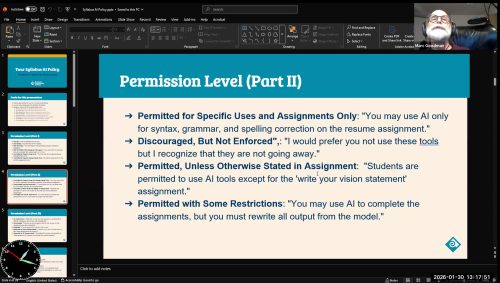 Designing Your Syllabus Al Policy: A Cross-Disciplinary Workshop
- January 30, 2026
- Marc Goodman’s workshop guides educators in crafting discipline-specific syllabus AI policies.
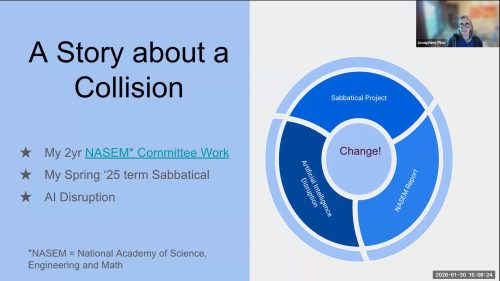 Leveraging a Framework for Effective & Equitable Teaching in an Al World
- January 30, 2026
- Biology Instructor Josephine Pino explores how generative AI impacts flipped classrooms and course design.
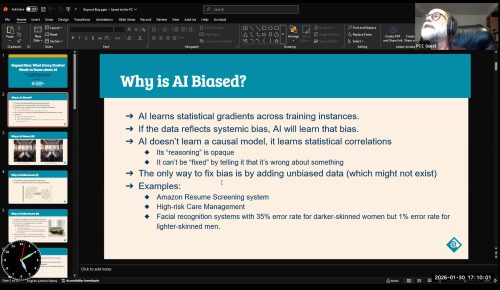 Beyond Bias: What Every Student Needs to Know About Al
- January 30, 2026
- In this presentation, CIS Department Chair Marc Goodman examines how AI engineering, tokenization, and engagement-driven architectures shape model accuracy. Moving beyond basic data bias, he breaks down hallucinations, retrieval-augmented generation (RAG), and reinforcement learning. Goodman reveals why chatbots prioritize persuasion over objective truth and shares practical strategies to teach critical AI fact-checking skills.
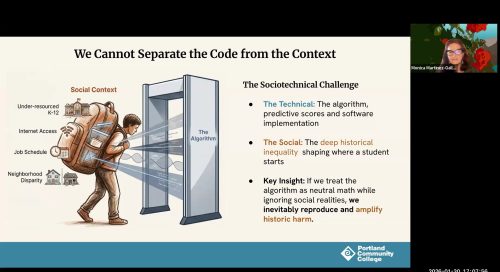 Will Al Elevate Student Achievement and Equity or Will Poorly Executed Al Drive Poorer Outcomes and Wider Academic Gaps?
- January 30, 2026
- In an interactive roundtable, Portland Community College presenters explore how AI impacts student achievement, equity, and practice. Treating AI as a socio-technical issue, PCC rejects automated proctoring and plagiarism detection to avoid algorithmic bias. The session emphasizes "backstage learning"—valuing process over final products—alongside compassionate human care teams, data privacy, and ethical institutional governance.
 Al and Copyright: Legal Realities and Ethical Questions
- January 30, 2026
- Cascade Faculty Librarian Rachel Bridgewater examines the intersection of copyright law and generative AI.
 Higher (order) Education: The Role of Colleges in Teaching the Cyborg Student
- January 30, 2026
- As AI evolves into reasoning agents, higher education must reframe technology from an external threat to an extension of student cognition. While AI simplifies synthesis, it risks superficial "informational collages." Consequently, colleges must shift focus toward teaching epistemic hygiene, metacognition, source validation, and complex project design rather than policing tool usage.
 AI for the Educators: Module 1: Practical Skills in Crafting Effective Prompts
- September 11, 2025
- This interactive workshop equips higher education faculty with essential prompt engineering skills to streamline teaching workflows and enhance productivity. Educators will learn foundational and advanced techniques—including persona definition, chain-of-thought reasoning, and setting temperature parameters—while gaining hands-on practice with tools like Google Gemini, custom Google Gems, and NotebookLM to create study guides and course materials.
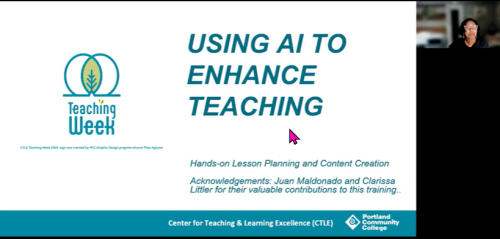 AI for the Educators: Module 2: AI for Lesson Planning & Content Creation
- September 11, 2025
- In this workshop, Reza Rahman demonstrates how faculty can use Google Gemini to enhance lesson planning and content creation. Instructors learn to draft tailored learning objectives, refine content in the Canvas workspace, generate interactive quizzes, and design AI-resistant assignments. The session also covers building custom Gemini Gems to automate repetitive instructional tasks efficiently.
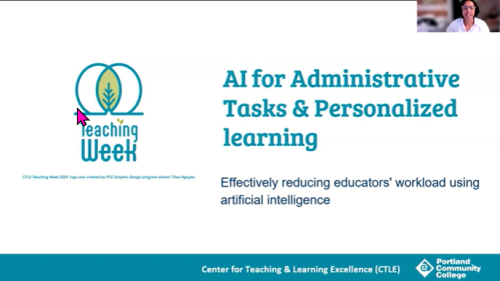 AI for the Educators: Module 3: AI for Administrative Tasks & Personalized Learning
- September 11, 2025
- Discover how educators can leverage AI tools like Google Gemini, ChatGPT, and Claude to streamline administrative tasks and personalize student learning.
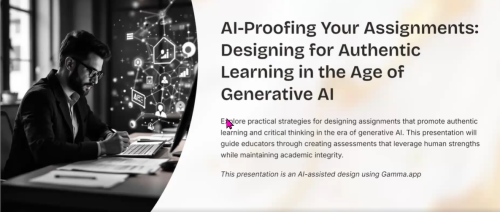 AI-Proofing Your Assignments: Designing for Authentic Learning in the Age of Generative AI
- September 8, 2025
- Learn how to shift from AI detection to authentic assignment design that promotes critical thinking, academic integrity, and process-oriented student learning.
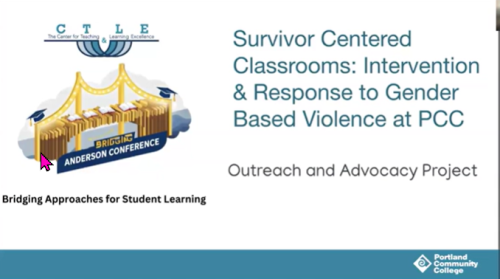 Survivor-Centered Classrooms: Prevention and Response to Gender Based Violence at PCC
- January 31, 2025
- This presentation from PCC’s Outreach and Advocacy Project guides faculty and staff on supporting students affected by gender-based violence.
 Did They or Didn’t They?: The RWC’s Perspective on Artificial Intelligence in an Age of Anxiety
- January 30, 2025
- Reading and Writing Center coordinators share strategies for navigating generative AI by prioritizing student agency, authentic voice, and metacognitive growth over surveillance.
 Facilitating Conversations about AI Ethics
- January 30, 2025
- Dr. Lorena Nascimento discusses integrating ethics into AI conversations across diverse environments.
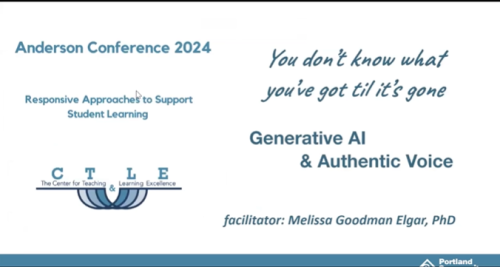 You Don’t Know What You’ve Got ’til It’s Gone: Authentic Voice and Generative AI
- January 31, 2024
- Melissa Goodman Elgar explores generative AI's impact on student writing, authentic voice, and learning equity. It addresses faculty concerns about critical thinking while distinguishing text generation from editing.
- View more PCC presentations and recordings...
Miscellaneous Articles
Here is a trove of article collected in 2023-2024.
- ChatGPT@PCC – Initial Questions from LT&I Division
- ChatGPT Is a Plagiarism Machine
- Educators Team Up to Respond to Sudden Rise of ChatGPT
- Professor Flunks All His Students After ChatGPT Falsely Claims It Wrote Their Papers
- It’s Not Just About ChatGPT. Other AI Technologies Are Heading to Schools
- Let ChatGPT Be Your Teaching Assistant: Strategies for Thoughtfully Using AI to Lighten Your Workload
- Yes, We Are in a ChatGPT Crisis
- AI detectors biased against non-native speakers
- ChatGPT for Teachers
- PSU needs a plan for ChatGPT
- Applying Intellectual Property Law to AI: An Interview with Betsy Rosenblatt
- AI in education: what you need to know about this game-changing technology
- The Best AI Image Generators in 2023
- The Age of AI Has Begun
- DALL·E 2 is a new AI system that can create realistic images and art from a description in natural language.
- A conversation with Bing’s Chatbot left me deeply unsettled
- Why you shouldn’t trust AI search engines: MIT Review
- Course policies on ChatGPT
- Did he say “bird”? We talk with Sam Altman, the C.E.O. of OpenAI, about the artificial intelligence craze.
- Don’t Ban ChatGPT in Schools. Teach With It.
I’m a student. You have no idea how much we’re using ChatGPT: ‘Look at any student academic-integrity policy, and you’ll find the same message: Submit work that reflects your own thinking or face discipline. A year ago, this was just about the most common-sense rule on Earth. Today, it’s laughably naïve. There’s a remarkable disconnect between how professors and administrators think students use generative AI in written work and how we actually use it. Many assume that if an essay is written with the help of ChatGPT, there will be some sort of evidence – it will have a distinctive “voice,” it won’t make very complex arguments, or it will be written in a way that AI-detection programs will pick up on. Those are dangerous misconceptions. In reality, it’s very easy to use AI to do the lion’s share of the thinking while still submitting work that looks like your own. Once that becomes clear, it follows that massive structural change will be needed if our colleges are going to keep training students to think critically.’
ChatGPT Prompt Tips
- Tone: Specify the desired tone (e.g., formal, casual, informative, persuasive).
- Format: Define the format or structure (e.g., essay, bullet points, outline, dialogue).
- Act as: Indicate a role or perspective to adopt (e.g., expert, critic, enthusiast).
- Objective: State the goal or purpose of the response (e.g., inform, persuade, entertain).
- Context: Provide background information, data, or context for accurate content generation.
- Scope: Define the scope or range of the topic.
- Keywords: List important keywords or phrases to be included.
- Limitations: Specify constraints, such as word or character count.
- Examples: Provide examples of desired style, structure, or content.
- Deadline: Mention deadlines or time frames for time-sensitive responses.
- Audience: Specify the target audience for tailored content.
- Language: Indicate the language for the response, if different from the prompt.
- Citations: Request the inclusion of citations or sources to support information.
- Points of view: Ask the Al to consider multiple perspectives or opinions.
- Counterarguments: Request addressing potential counterarguments.
- Terminology: Specify industry-specific or technical terms to use or avoid.
- Analogies: Ask Al to use analogies or examples to clarify concepts.
- Quotes: Request the inclusion of relevant quotes or statements from experts.
- Statistics: Encourage the use of statistics or data to support claims.
- Visual elements: Inquire about including charts, graphs, or images.
- Call to action: Request a clear call to action or next steps.
- Sensitivity: Mention sensitive topics or issues to be handled with care or avoided.
Will ChatGPT change how professors assess learning? The worst-case scenario came into focus almost as soon as ChatGPT was released: Students could feed a professor’s prompt into the chatbot, collect its response, turn it in as their own, and get credit without doing any work at all. Go through those motions enough times, one imagines, and a student could pass a class – even earn a degree – without the learning that those things are supposed to signify. For three years now, professors have adjusted their teaching, and adjusted it again, to adapt to a global pandemic, remote instruction, and a student population whose actions and expectations have changed. What fresh new hell was this? ChatGPT, which runs on a “large language model,” a word predictor trained with enormous amounts of data, has been greeted as a game changer in many domains. The potential uses of the tool, and others like it, extend far beyond the completion of college coursework. And many professors are excited by the technology’s potential to enhance learning, and perhaps provide needed support to students who start at a disadvantage. There are lots of ways students could use ChatGPT without having it do their work for them, like using it to brainstorm ideas or offer clearer definitions of something they’re trying to understand.
ChatGPT Just Got Better. What Does That Mean for Our Writing Assignments? An educator who tested the new GPT-4 before its release offers advice for faculty members on how to respond.
New GPT: We’ve created GPT-4, the latest milestone in OpenAI’s effort to scale up deep learning. GPT-4 is a large multimodal model (accepting image and text inputs, emitting text outputs) that, while less capable than humans in many real-world scenarios, exhibits human-level performance on various professional and academic benchmarks.
“ChatGPT, create a training plan for how to use ChatGPT”:
As an AI language model, ChatGPT can be used for a variety of purposes, such as answering questions, generating text, translating languages, and more. Here is a suggested training plan for how to use ChatGPT effectively:
- Familiarize yourself with ChatGPT: Before using ChatGPT, it’s important to understand what it is, what it can do, and what its limitations are. You can do this by reading articles or watching videos about ChatGPT, and exploring its capabilities through trial and error.
- Define your goals: Determine what you want to achieve with ChatGPT. Do you want to use it to generate content for your website or social media channels? Or perhaps you need it to answer customer service inquiries or research a topic? Having clear goals will help you use ChatGPT more effectively.
- Choose a platform: ChatGPT is available through various platforms, including OpenAI’s API, GPT-3 Playground, Hugging Face, and more. Depending on your needs and level of technical expertise, choose the platform that suits you best.
- Prepare your input: Before using ChatGPT, make sure you have a clear understanding of the input it requires. For example, if you want to generate text, you may need to provide ChatGPT with a prompt or topic. If you want it to answer a question, you’ll need to phrase the question in a clear and concise manner.
- Monitor the output: ChatGPT’s output can be impressive, but it’s important to keep in mind that it’s not perfect. As with any AI tool, there may be errors, biases, or other issues to be aware of. Monitor the output carefully and be prepared to refine your input or adjust your expectations as needed.
- Iterate and refine: As you use ChatGPT, you’ll likely discover new ways to optimize your input or output. Take note of what works well and what doesn’t, and adjust your approach accordingly. This may involve refining your prompts, experimenting with different platforms or settings, or incorporating other tools or resources.
- Stay up-to-date: As an AI language model, ChatGPT is constantly evolving and improving. Stay up-to-date with the latest news and updates, and be prepared to adapt your training plan as needed to take advantage of new features and capabilities.
Overall, using ChatGPT effectively requires a combination of technical skill, creativity, and a willingness to experiment and adapt. With these tips in mind, you should be well on your way to mastering this powerful AI tool.