
D2L
-
 Oregon Distance Learning Completion Conference
- I know, just what you need, another professional development opportunity, right? I understand, it’s the end of the year and […] Posted May 3, 2021
-
 April 2021 Highlights
- Updates coming to Brightspace for April 2021 on Friday, April 23rd. Posted April 14, 2021
-
 Quarterly Updates for Spring 2021
2 comments for post 12928
Quarterly Updates for Spring 2021
2 comments for post 12928 - Greatest hits of updates to the learning ecosystem for Spring 2021. Posted March 29, 2021
-
March 2021 Highlights
- A summary of key updates to the March 2021 release of Brightspace. Posted March 18, 2021
-
 Quarterly Updates for Winter 2021
4 comments for post 12805
Quarterly Updates for Winter 2021
4 comments for post 12805 - Updates to the online learning ecosystem for Winter 2021. Posted December 30, 2020
-
 Creating Connection and Community
8 comments for post 12702
Creating Connection and Community
8 comments for post 12702 - English faculty Megan Savage shares a few techniques to improve connection in remote instruction using breakout groups. Don't miss this one. Posted November 10, 2020
-
Quarterly Updates for Fall 2020
5 comments for post 12571
- Summary of updates to D2L, Zoom, Kaltura and more for Fall 2020 Posted September 15, 2020
-
July 2020 Highlights
- D2L Brightspace updates for July 2020. Posted July 27, 2020
-
Quarterly Updates for Summer 2020
- A list of some of the updates in our online learning ecosystem for Summer 2020. Posted June 15, 2020
-
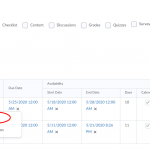 Manage Dates tool in D2L Brightspace
- The Manage Dates tool can help you to change most of the dates in your course. Start, End, and Due dates for Calendar items, Checklists, Content modules and topics, Discussions, Grades, Announcements, Quizzes, and Surveys presented here in one place and can be edited one by one or can be bulk edited. The Looking dates for Discussions are also can be adjusted here as well. The Manage Dates tool also shows you if the activity is visible if it is in the calendar and more. Posted May 23, 2020