
Online Learning Ecosystem Quarterly Updates for Winter 2026
Posted by Andy Freed | 3 comments
This winter term will start off like a race! Since the college is closed during the break, you won’t have access to our excellent faculty and students support team. If you do find yourself poking around during the break, you can still find support info on our Instructional Support website, including a beta of our faculty support chatbot. The chatbot is far from perfect, but it’s trained on our website content. It may be a better way to interact with the website content over traditional searching. If you have any feedback, please let me know.
D2L Brightspace
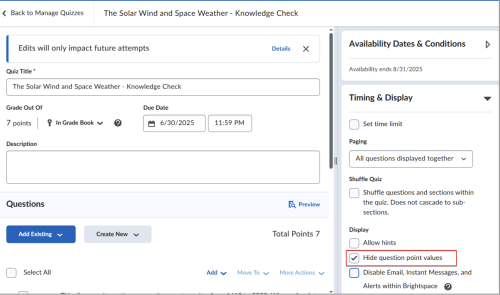
Quizzes – Hide Quiz Question Points (October 2025)
Instructors can now hide the point value for quiz questions to ensure learners focus on all questions equally, without the risk of inferring the number of correct answers based on point value.
Creator+/H5P – New content picker in Authoring tools menu (October 2025)
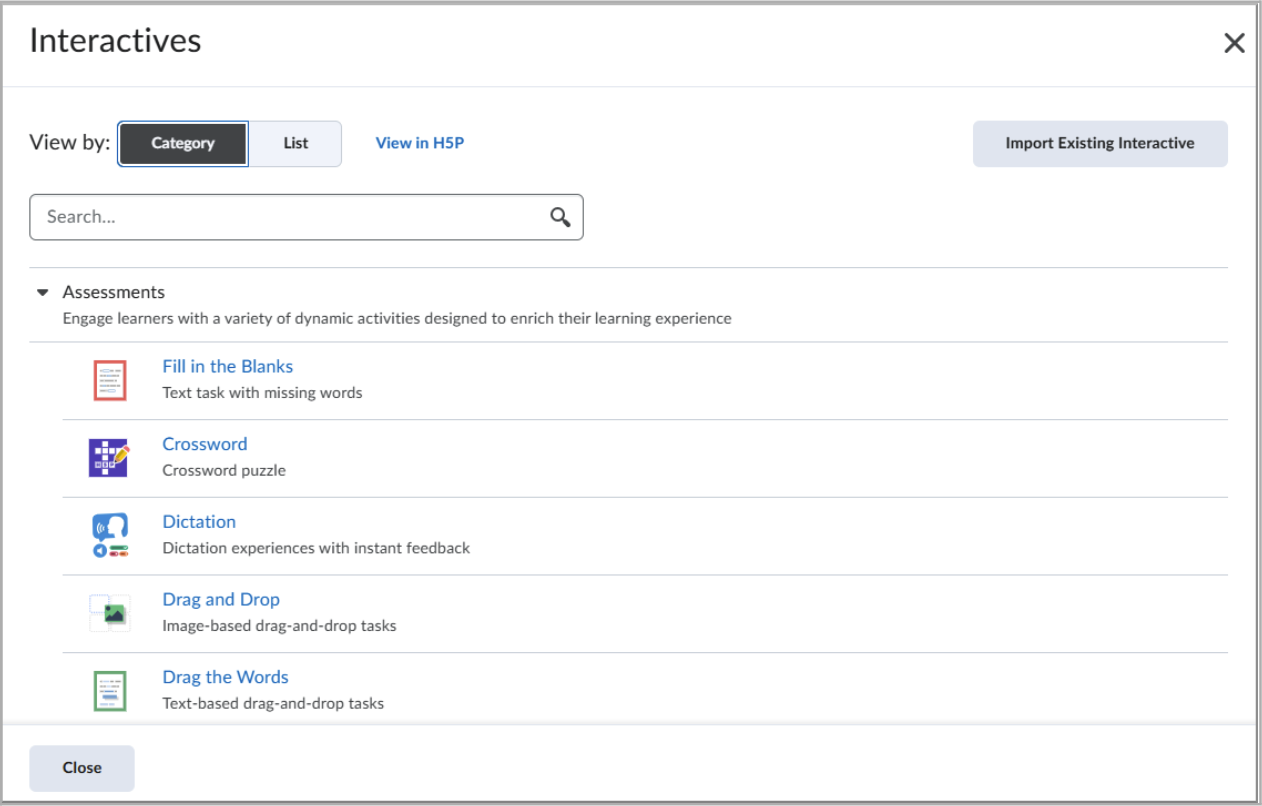
- Instructors now have direct access to H5P content types through a new picker in the Authoring Tools menu.
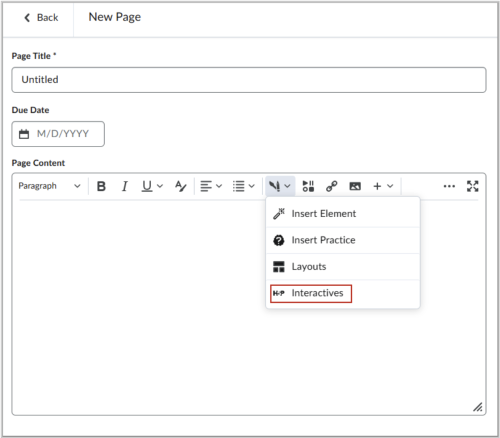
- Selecting H5P Interactives from the menu now opens a modal dialog in Brightspace, allowing instructors to filter, search, and select H5P content types more efficiently.
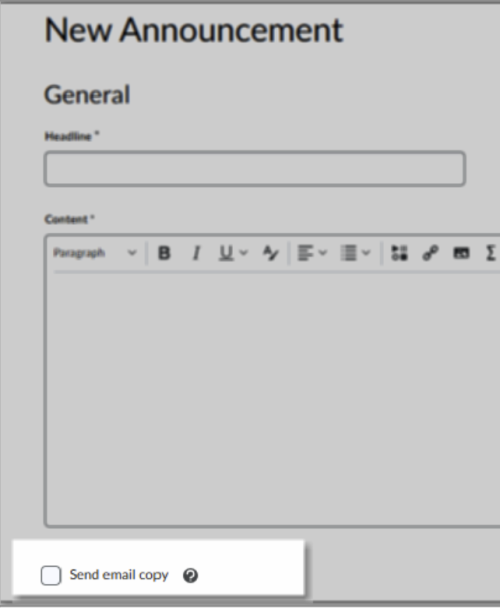
Announcements – Email a copy of an announcement to your Classlist (November 2025)
- When an instructor selects the new checkbox, the system emails the content of the announcement to all users in the Classlist on publishing.
- Users who are not subscribed to receive a notification for announcements will also receive an email, ensuring that important information contained within the announcement is delivered to every learner.
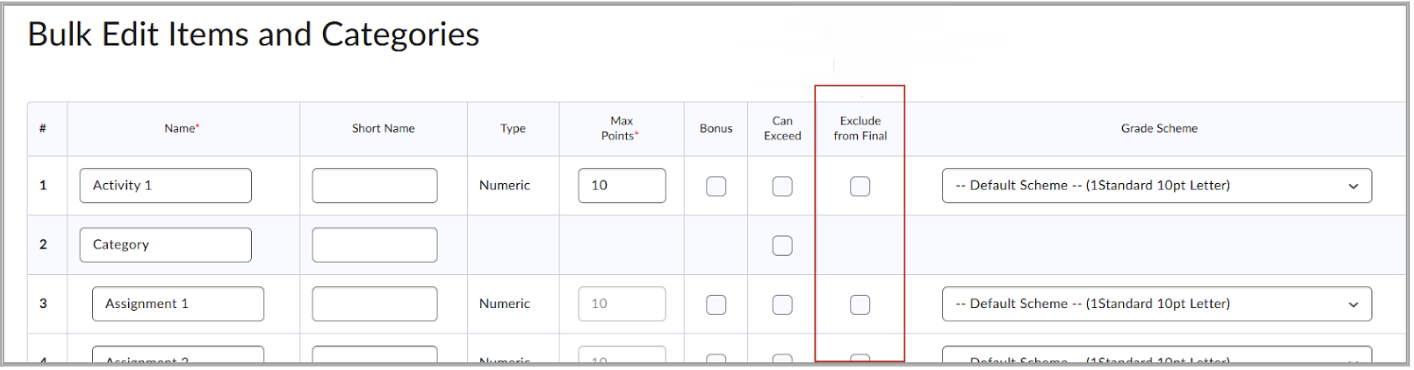
Grades – Bulk edit exclude items from final grade (November 2025)
- Instructors can now use the Exclude from Final column when bulk editing grade items in the Grades tool. Selecting this option excludes the grade item from the final grade calculation.
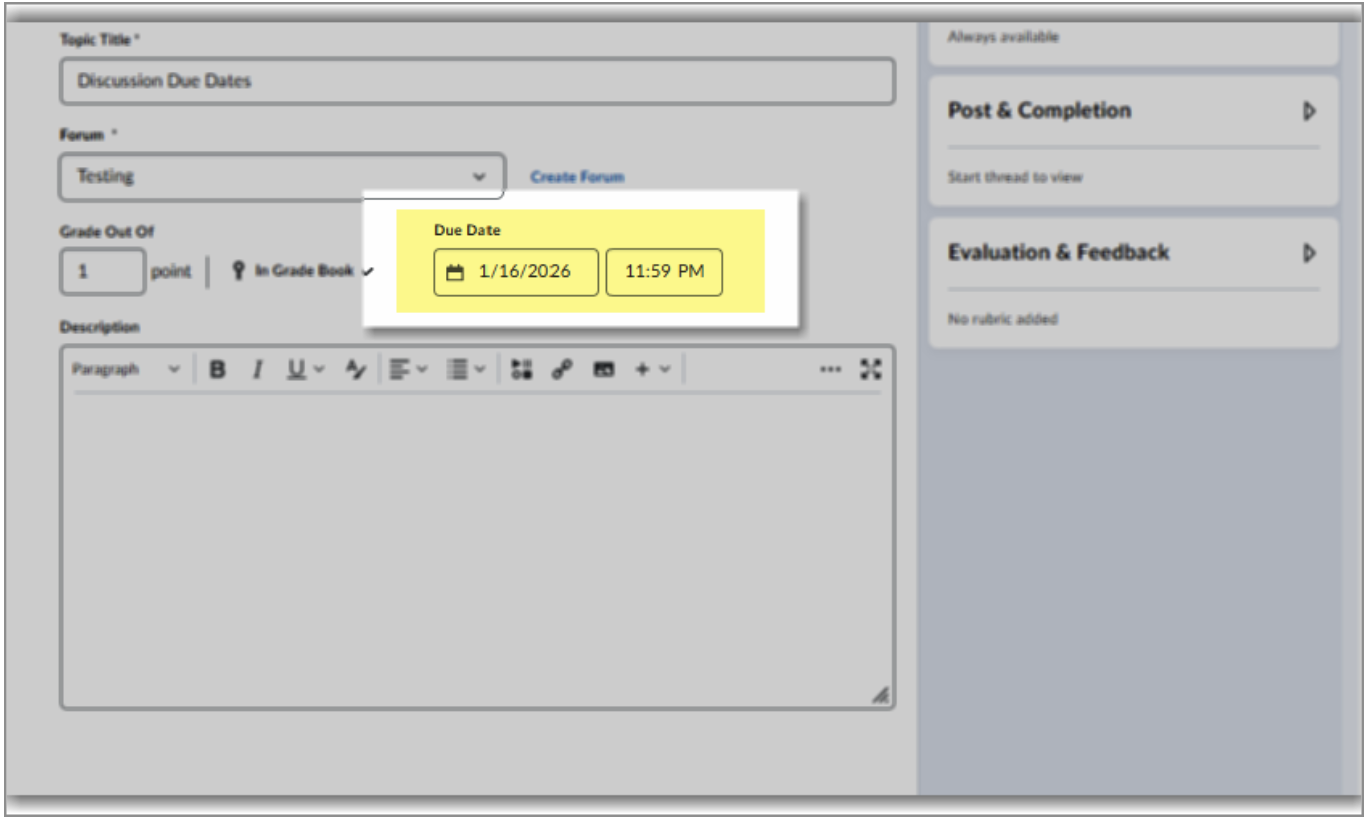
Discussion Due Dates (December 26, 2025)
- Discussions now feature true due dates, which can be added to new topics or existing topics! Learn more on this new feature!
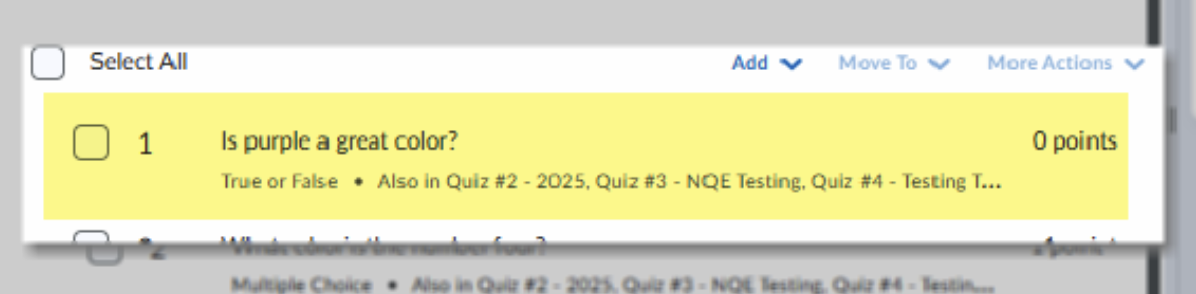
Quizzes: Zero-Point Questions (December 26, 2025)
- Make quiz questions worth zero-points. Applies to new and existing quiz questions. Learn more about zero-point quiz questions here!
Yuja Panorama
As we work towards Digital Accessibility Compliance, Panorama is an essential tool in tracking our progress. We’re keen to see improvements over time more-so than specific scores. (Though we do see you faculty making significant updates! There were 98 courses in Fall term with a score of 100%).
Here are a few highlights from fall term that we’ve also shared with deans and faculty department chairs:
- Over 300,000 course files were scanned
- Over 6,300 files were improved by faculty with Panorama
- Students downloaded over 3,200 alternate formats
- 1,300 courses show some level in improvement since week 3 of fall
- 1,100 courses now have a score of 90% or better
Bug Fixes
Bug fixes and updates to the PDF scanning and reviewing in November improved how well the documents compare to WCAG 2.1 AA requirements, but it also came with a decrease in the scores of many existing documents. The decrease in score is a bummer, but on the positive side, Yuja continues to spend significant effort on development, which may affect scores in the future as well.
AI for Alt Text
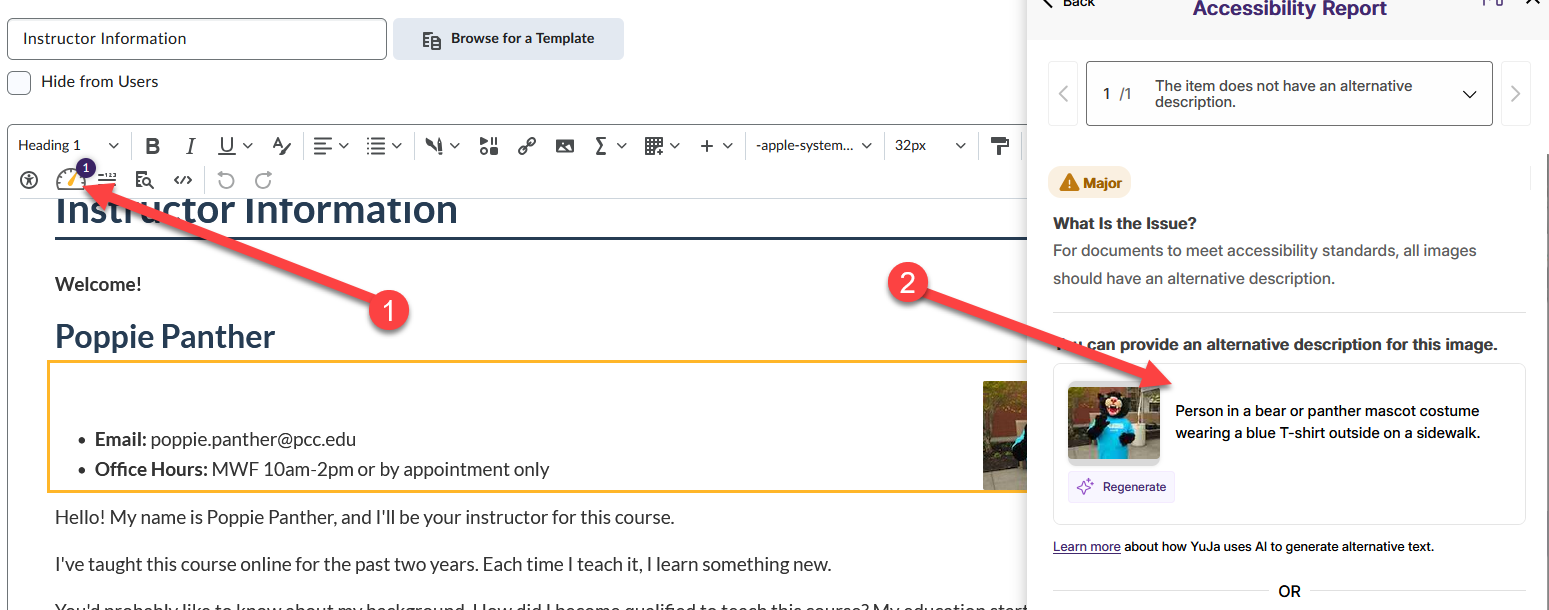
If you are in the WYSIWYG editor and launch Panorama, you can now use AI to help generate alt text on images. YMMV (Your mileage may vary) with the accuracy of the text. We still think you as the subject matter expert are far more capable of creating meaningful alt text. It does not currently work in the View Report tool and we’ve notified them of the discrepancy.
Improved Highlighting of Accessibility Issues on Documents/PDFs (Nov/Dec)
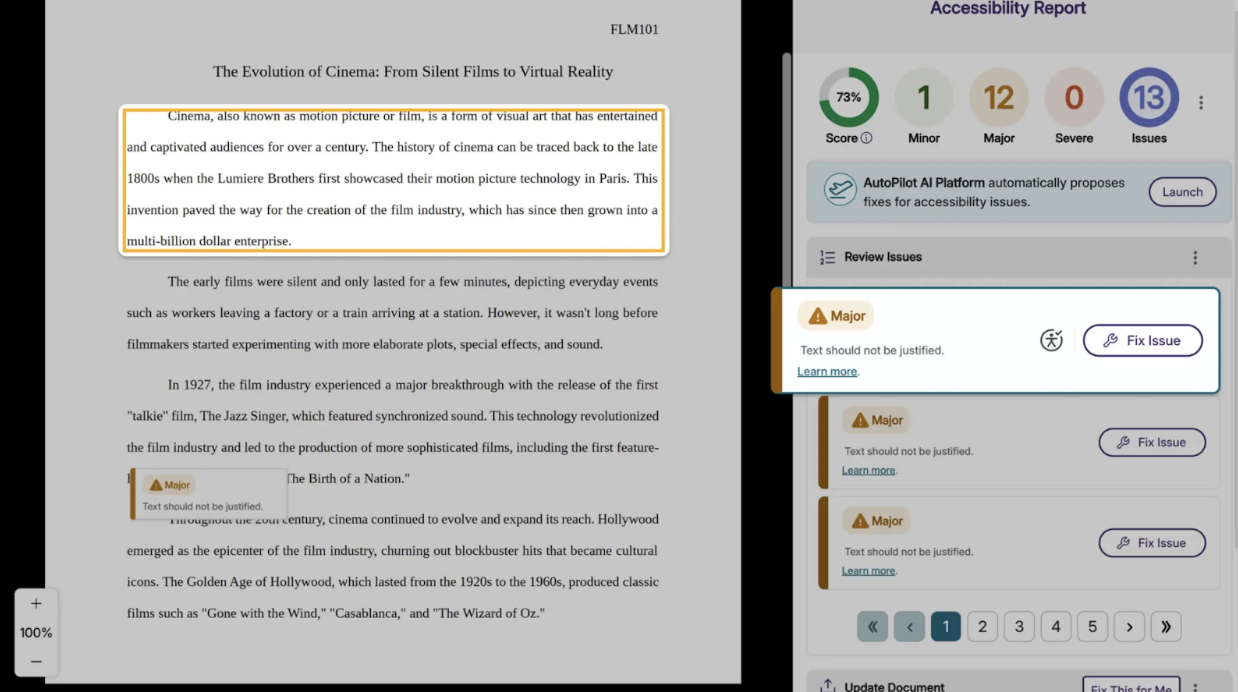
Accessibility previews now benefit from a more advanced matching approach that interprets document structure with greater resilience to format changes. The upgraded system aligns visual regions in a more context-aware way, producing bounding boxes that track the true location of issues far more reliably.
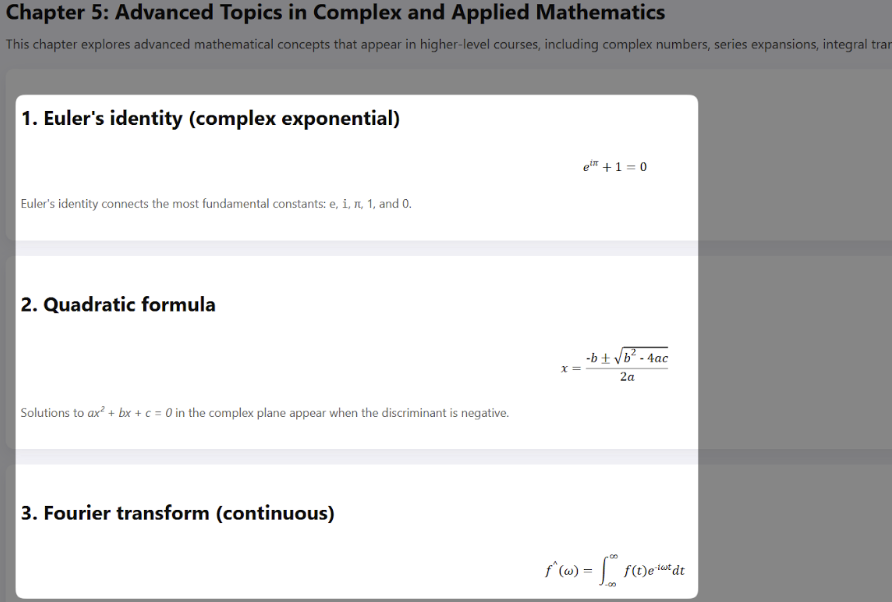
Turn Math Images in Documents into Accessible Searchable Content (October)
When converting documents to an OCR HTML Alternative Format, Panorama will now convert any images of math formulas to MathML, ensuring complex equations are accessible to screen readers and searchable for easier studying.
Zoom
Zoom version 6.7 includes some updates to the user interface (UI). The changes are fairly minimal, but we wanted to share a few screenshots.
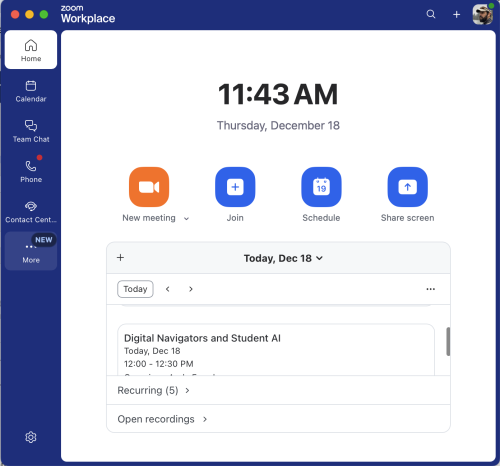
Zoom Client
The list of tools now displays along the left side of the client window. You will see some updates to the list of tools as the college rolls out Zoom Phones.
In-Meeting controls
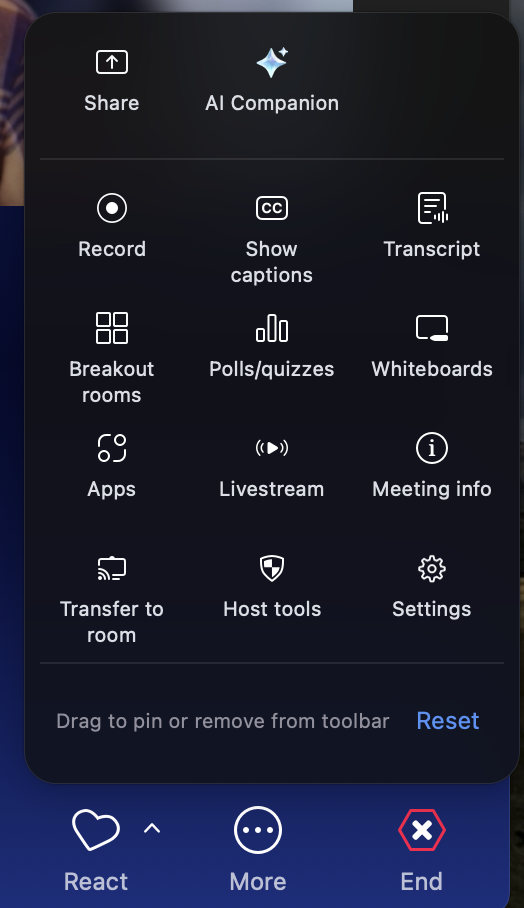
This update includes a simplified in-meeting toolbar that shows only essential features. Users can customize it by:
- right-clicking to pin frequent features
- Dragging items from More menu to toolbar
- Rearranging primary toolbar buttons
- The customizable More menu improves feature discovery.
The controls for some features like virtual backgrounds and video settings now show up on the side rather than a pop-up menu.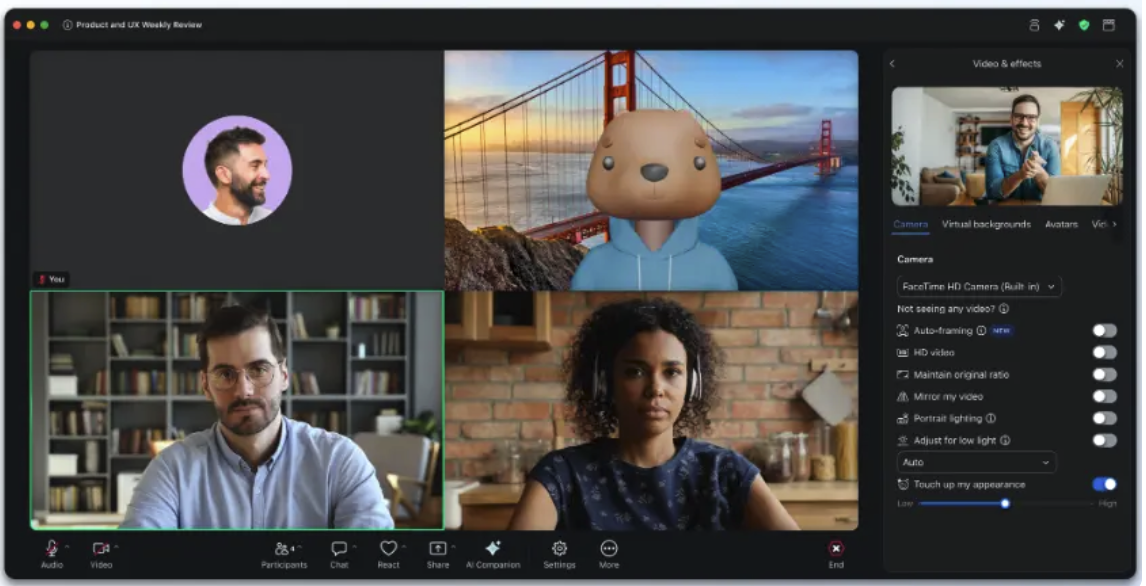
About Andy Freed

I'm the Director of Learning Technology & Innovation (LTI!), where I oversee our infrastructure, technical support, and the innovation hub. I've been with the College since 2001 and have worked in several positions, from technical suppo... more »

Comments
There are 3 comment for this article. asfasfasgIf you see something that doesn't belong, please click the x and report it.
Add to the discussion
PCC offers this limited open forum as an extension of the respectful, well-reasoned discourse we expect in our classroom discussions. As such, we welcome all viewpoints, but monitor comments to be sure they stick to the topic and contribute to the conversation. We will remove them if they contain or link to abusive material, personal attacks, profanity, off-topic items, or spam. This is the same behavior we require in our hallways and classrooms. Our online spaces are no different.
Yay for Discussion Due dates!!!
These are great updates! Thank you for sharing, Andy, and for the screenshots too!
Thanks Jessica, but Crystal helped with a lot of this as well. There are so many moving pieces we just want to draw folks attention to the things we think they’ll care about.