
Proofpoint – Email Digest
The email digest provides you with a list of messages that have been sent to quarantine because they triggered filtering rules. The email summary from noreply@pcc.edu is sent daily at 7 am. These quarantined messages are held for 30 days. In this period, you could review and release them. After 30 days, the messages will be automatically deleted from the system. Note: An email digest is not sent if there are no quarantine emails or no new quarantine emails after a digest is sent.
What messages get quarantined?
Low Priority Mail – Quarantined
Spam – Quarantined
The action you take on these messages determines how future messages from the senders will be handled.
What does the email digest look like?
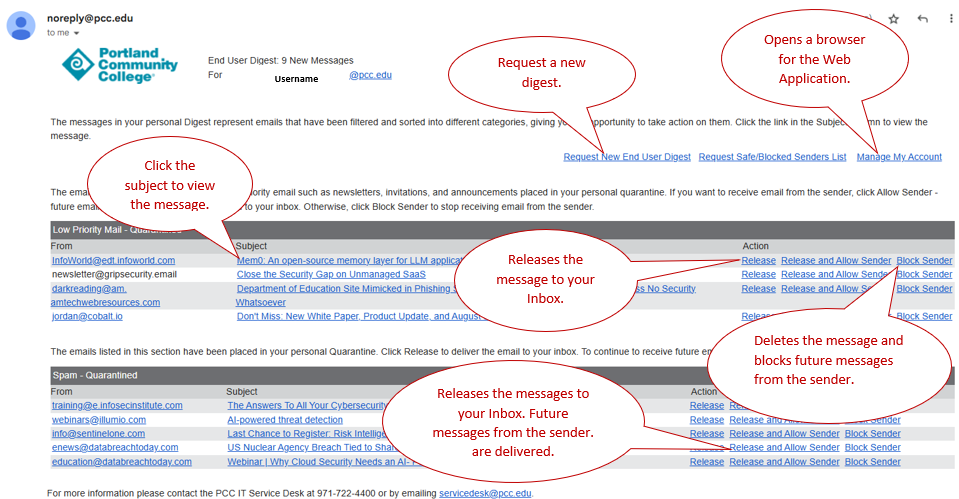
To view the contents of a quarantined message, click the subject field.
Links contained in the email digest:
- Request New End-User Digest: Allows you to request a new digest to see whether messages have been sent to the quarantine since the last digest was received.
- Request Safe/Blocked Senders List: If you have populated your safe or block lists, a copy of those lists is sent.
- Manage My Account: Takes you directly to the end-user Web Application. You can manage the messages and list from a web interface.
- Release: Releases the message from quarantine and allows it to be delivered to your inbox. Note: If you have filters configured, the email may be routed to a different folder/label.
- Release and allow sender: Releases the message from quarantine, and the sender is added to your personal list of safe senders.
- Block Sender: Delete and block future messages from the sender.
How do I manage my account?
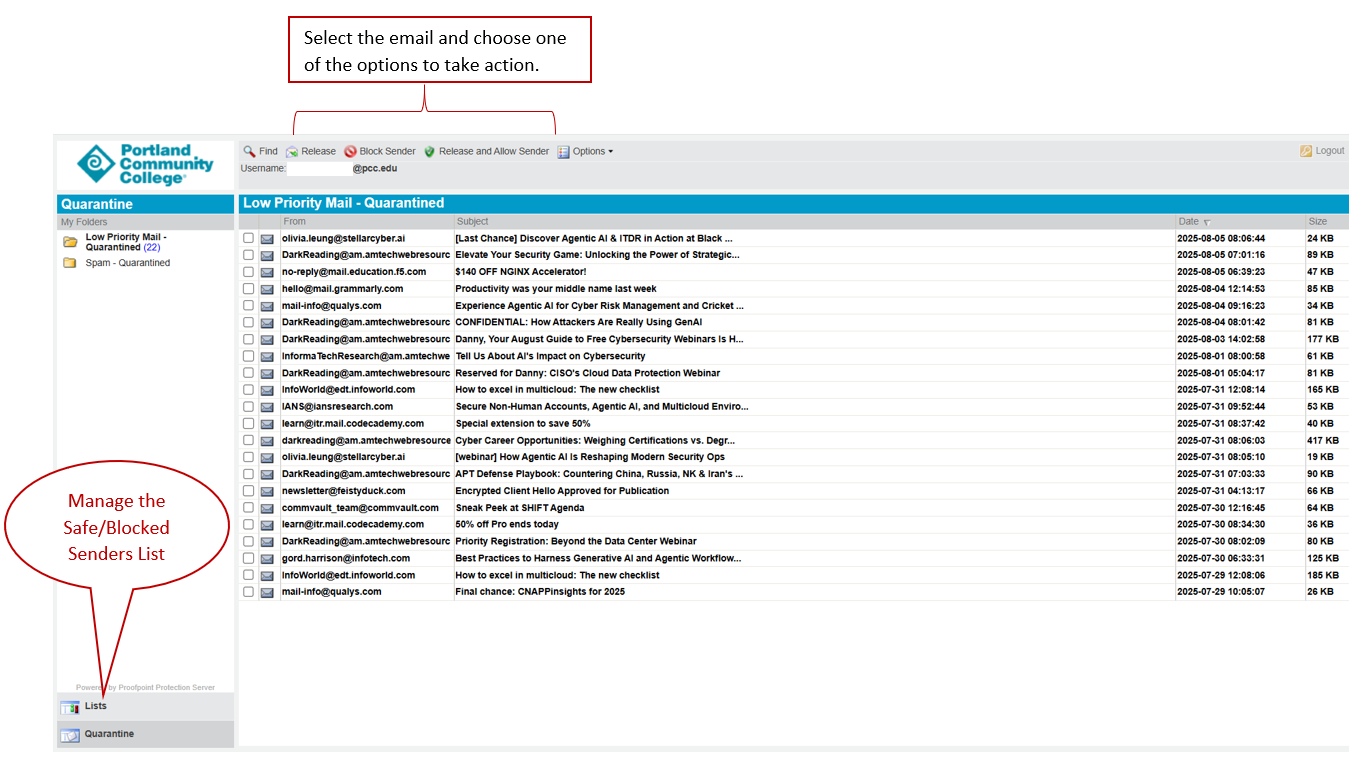
The Manage My Account interface allows you to take action on the emails from a web-based interface. The results would be the same as if you took action from the email:
Benefits
- Helps keep email inbox decluttered by intelligently filtering out low quality and spam mail.
- Provides an easy to manage digest of all quarantined messages daily
Service availability
24/7