Consent to release instructions
Step 1: Log in to MyPCC
Once you are admitted to PCC, you will have a MyPCC account. MyPCC is where you can register for classes, pay your bill, access your email, and fill out your Consent to Release form.
Step 2: Navigating to the consent to release form
Once you are logged in to MyPCC, make sure that you are on the MyPCC Home tab. You should see the “quick links” menu on the left side of the screen. “Consent to release” is in the “don’t wait in line” section. Please follow the link to the consent to release form.
Step 3: Filling out the form
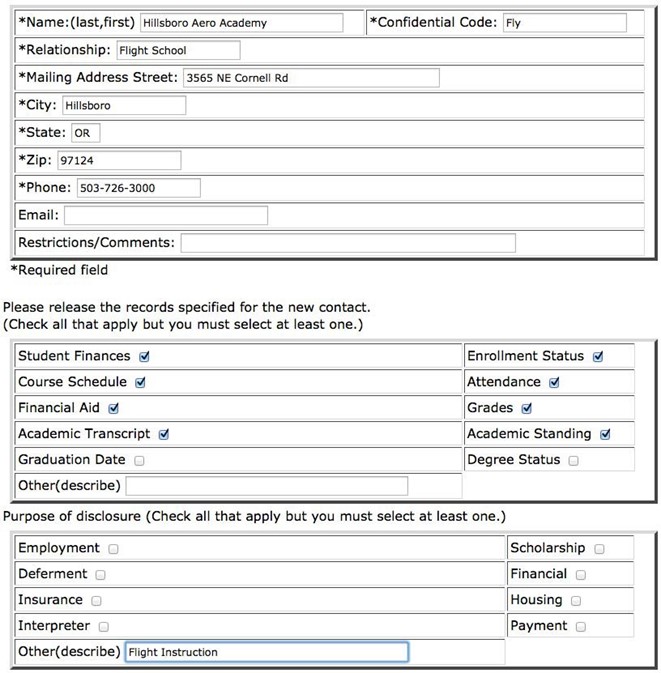
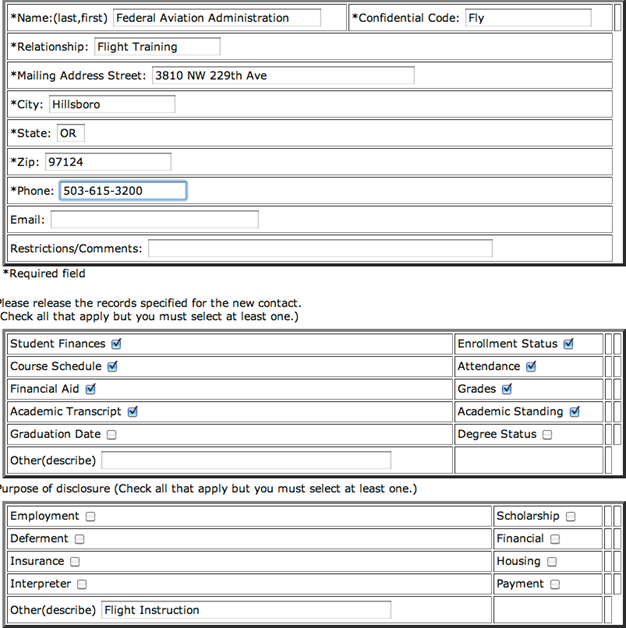
Please follow the directions below to fill out the consent to release form. You will need to add two releases, one for Hillsboro Aviation and one for the Federal Aviation Administration.