
About Discover
The Discover tool in D2L Brightspace allows staff and students to self-enroll in courses that have been made discoverable by the course owner.
- Who is this for: Instructors, staff, and students
- What is required: A D2L Brightspace account
Accessing the Discover Tool
- Log in to D2L Brightspace
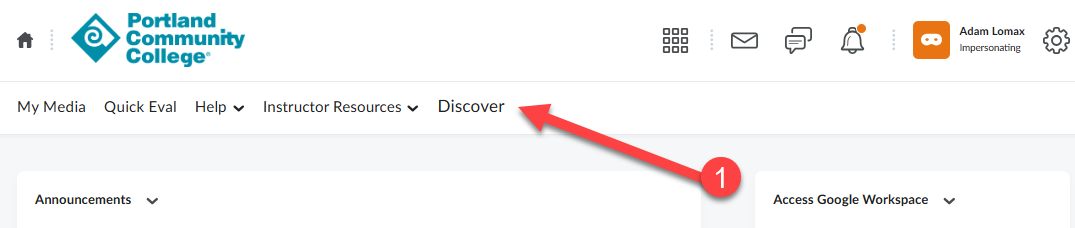
- From your D2L Brightspace account homepage, click Discover on the top navigation bar.
- Use the search bar to look for available self-enroll courses, or browse through the Featured, New, or All Sections portion of the page.
- Only courses that allow self-enrollment will appear in the results.
- Since this is a new tool, there are not many courses available yet.
Additional Documentation
- Course Owners: How to add your course to the Discover tool
- Learners: How to enroll or unenroll from a course in the Discover tool
- About Discover (D2L Brightspace Community)
Get Additional Support
- If you have trouble accessing the Discover tool, please contact the Learning Technology Help Desk.