
Reference password help
Help information for logging in to the scholarship system to provide a reference.
Welcome screen
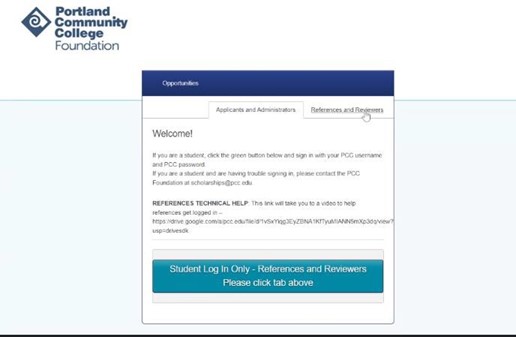
Here is the welcome screen. Make sure to click the Reference and Reviewers tab at the top right.
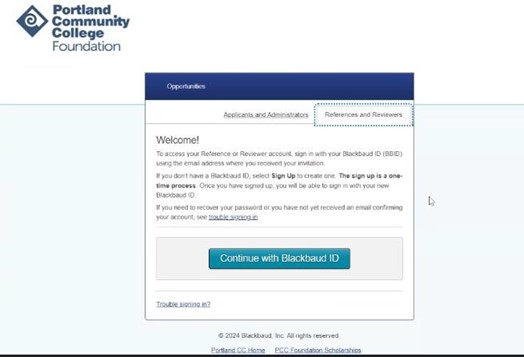
Continue with Blackbaud ID
If this is your first time (or your first time since multifactor authentication has been required), click Continue with Blackbaud ID.
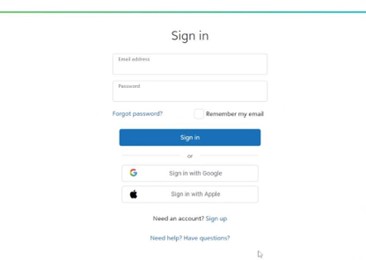
Sign up screen
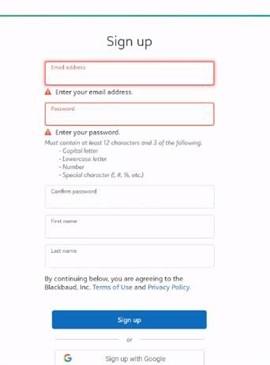
It will take you to the sign up screen. Use the email address that the student provided on the application (the account that you received the request) and create a password. Please note the password requirements below. If you choose one that does not meet these requirements, the system will prompt you with the requirements:
Must contain at least 12 character and 3 of the following:
- Capital letter
- Lowercase letter
- Number
- Special character (%, &, @, etc.)
If you do not choose a password that meets the requirements, it will prompt you:
Confirmation code
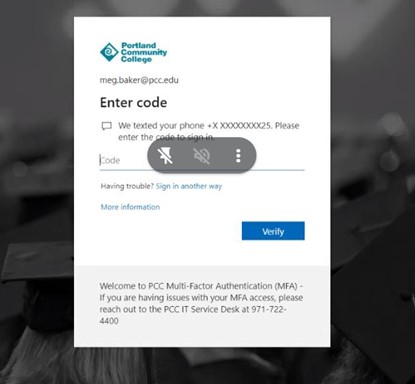
After you successfully enter your email and password, it will send you a 6-digit confirmation code (to the same email account). Enter that code. Once you click verify, the system will take you into the reference form!
If you have questions or run into problems, please contact the PCC Foundation Scholarship team at: scholarships@pcc.edu, 971-722-4382 or 971-722-4385, or join a virtual help session.