
Registration and payment
Taking an Ed2Go class?
 Learn how to register and see payment information for non-credit professional development classes.
How to register
-
Create account
If you’re new to PCC, your first step is to create an account. If you’ve taken a class at PCC before, you should already have an account and can skip this step.
Multi-factor Authentication
Starting in Spring term, PCC will require students to set up Multi-factor Authentication (MFA) for their accounts. MFA adds a simple, second layer of security to your login process, similar to what you already use for banking or social media. It ensures that you are the only person who can access your account, even if someone else knows your password. Visit pcc.edu/mfa to learn more about setting up your authentication application.
-
Register
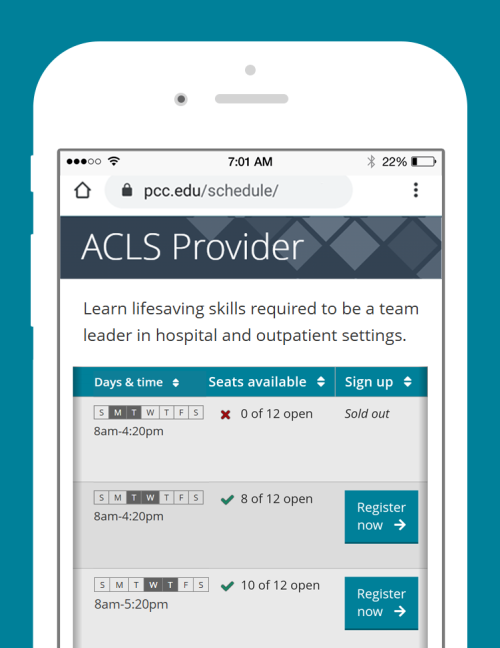
Look up classes in the class schedule. If seats are available, click the register now button. Registration dates are published in the academic calendar. You can register up to the first day of class unless otherwise noted.
-
Payment
Professional development classes are priced individually. See tuition and fees for each class in the class schedule. Students are responsible for paying their account in full, even if a bill is not received.
- When to pay: payment is due by the payment due date. Past due accounts are subject to deletion of registration, late fees, financial holds, and collection by an outside agency.
- How to pay: log in to MyPCC and click PCC-Pay.
Waitlists
Some classes offer a waitlist. If you’re on a waitlist and a space opens up, you’ll be automatically registered for the class: see more about waitlists.
Student email accounts
We send important information to your @pcc.edu email. To check your email, log in to MyPCC and click the email icon in the upper corner. For help, contact the IT Service Desk.
Refund and drop policy
To drop a class, log in to MyPCC and click Register for classes. See more about how to drop.
- Obligation to pay: If you register for a class, you are responsible for all tuition and fees. You must drop a class in order to not be billed. Non-attendance does not remove the charges from your account. For more, see registration policies.
- Attendance: Missing a class once in a while is okay, and there’s no need to contact your instructor. Students are not automatically dropped for missing classes: you must drop a class to remove it from your account.
- Appeals: If you’re unable to complete a class due to circumstances beyond your control, you can submit a tuition appeal.
- Canceled classes: Occasionally, classes must be canceled due to enrollment or emergencies. If your class is canceled, you will receive a full refund. Registered students will be contacted if a class is canceled.
Refunds
100% of charges for a class will be removed if you drop by the drop deadline (unless otherwise noted). To see deadlines for your class, go to MyPCC and click see drop and withdraw deadlines. No charges will be removed if you drop after the deadline.
| Class length | Drop deadline for a full refund |
|---|---|
| Under 2 weeks | Day before first day of class by 10pm |
| 2-7 weeks | First day of class by 10pm |
| 8-12 weeks | Second Tuesday of term by 10pm |
| Exceptions | Some classes have specific drop dates listed in the class description or footnote |
Third-party billing
Are you a business or organization interested in paying the Professional Development and Training educational expenses for a PCC student? Set up third-party billing, and we’ll bill your organization directly.