
Online Learning Ecosystem Quarterly Updates for Fall 2026
Posted by Andy Freed
Quarterly Learning Ecosystem Updates for Fall 2026
We’ve collected a list of recent updates and changes to the online learning ecosystem for fall term. Updates are listed under each application. Updates are not exhaustive, but rather focus on the items that are most important to instructors and students or have the most impact. You can also check out our expansive calendar of workshops and open labs offered during Fall quarter.
Yuja Panorama – Critical update
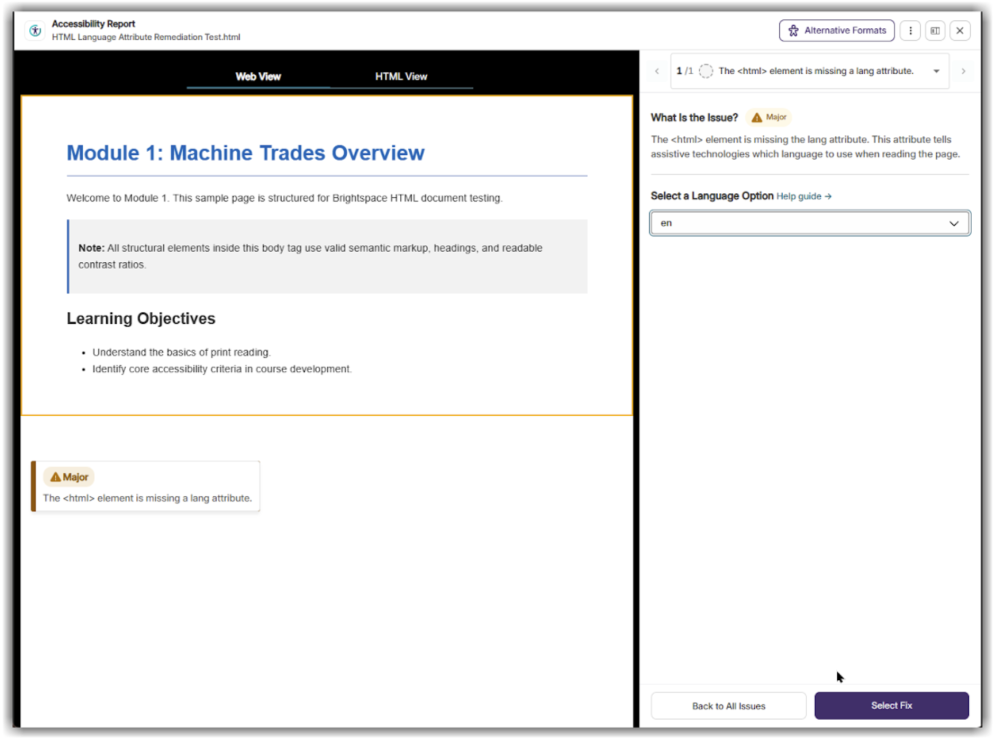
Yuja continues to update their Accessibility checker and remediation tool, including the launch of several new critical scoring elements. These updates were added in the August release, but we are delaying the implementation to allow for communication about these updates. In testing, we have noticed big drops in file scores primarily due to a new “language attribute missing” check, which scans HTML pages to see if it has the language defined in the HTML declaration (e.g. <html lang=”en”>). While these updates may affect your course, they are relatively easy to fix using the Panorama tool. This update is slated for Friday, October 23, 2026
D2L Brightspace
Respondus LockDown Browser
You can now use Respondus LockDown Browser on quizzes to improve security during the assessment. LockDown Browser prevents students from visiting other websites or applications, printing, and copying and pasting during the quiz. This tool is being added to improve quiz integrity and combat the use of AI tools during your exams. We even provide sample syllabus language, class details language, and a guide for students on our Instructional Support page.
Quiz Updates
- Student Annotation Options – Students can now strike through multiple-choice choices and mark specific questions for later review. Faculty can turn off this feature for individual assessments within the Timing & Display menu. (added in August)
- HTML Editor Progress Autosave – Draft responses for Written Response items using the HTML Editor are now automatically backed up every 60 seconds. (Added in July)
- Question Library Search Filters – New search options are available within the Source and Filter menus in the Question Library to speed up finding course questions. (added in August)
Rubric Visibility Indicators – You can now view a rubric symbol beside items across the Assignments, Discussions, and Quizzes index views (and while designing Written Response quiz items) to easily verify your evaluation configurations. (Added in June)
Anonymous Discussion Grading – Instructors who have access to unmask anonymous authors can now assess these contributions directly while reviewing student performance, and statistics for discussion forums now reflect anonymous submissions. (Added in July)
Group Management Enhancements
For those of you who are Groups power users, these updates may come in handy.
- Expanded Capacity for Groups – To better accommodate high-enrollment sections, category limits have been expanded from 200 to 1,000 max groups. (added in August)
- Redesigned Group Overview Dashboard – Instructors can opt into a streamlined tabular view displaying every category alongside direct links to connected materials; import/export tools are now accessible directly within contextual menus. (added in August)
- Deprecation of Classic Interface – The original setup workspace for group assignments is slated to be retired by late December 2026.
LTI Integration improvements
Streamlined LTI Interface – Standard gray framing (a.k.a. Bounding box) surrounding integrated LTI tools (including Kaltura and H5P) is no longer displayed within Content modules. This update is popular among our administrators and designers, who have been lobbying for this since 2023.
Digital Courseware Integrations – Action Items
Also known as “LTIs” or 3rd party integrations.
- MyOpenMath – Updating to LTI 1.3, Old links will continue to work until we retire the deprecated LTI 1.1 link. Please update your courses with the new links.
- Films on Demand – Updating to LTI 1.3. Old links will continue to work until we retire the deprecated LTI 1.1 link. Please update your courses with the new links.
- Vista Higher Learning – New LTI 1.3 integration for Spanish & French
- Currently evaluating ADAPT from LibreTexts in Chemistry
You can find documentation on these digital courseware titles and see the integration request process in Spaces.
Time zone bug
On August 28th, we emailed all faculty and staff who are affected by an issue with their default Time Zone settings in D2L. (subject: D2L Time Zone Bug that affects you) Many of the original accounts were created with a Americas/Vancouver time zone. However, since Canada does not observe daylight savings, Chrome and Firefox display the incorrect time on assignment and quiz due dates.
Changing your time zone
To change your time zone, please follow these steps:
- Log in to Brightspace
- Click on your name or profile picture at the top of the page and select Account Settings
- Scroll down to Time Zone and select “GMT -8:00 – United States – Los Angeles
- Click on the Save and Close button at the bottom of the page
We are still working with D2L to find a fix for students that hopefully won’t require that they all make this manual change.
New Content Experience
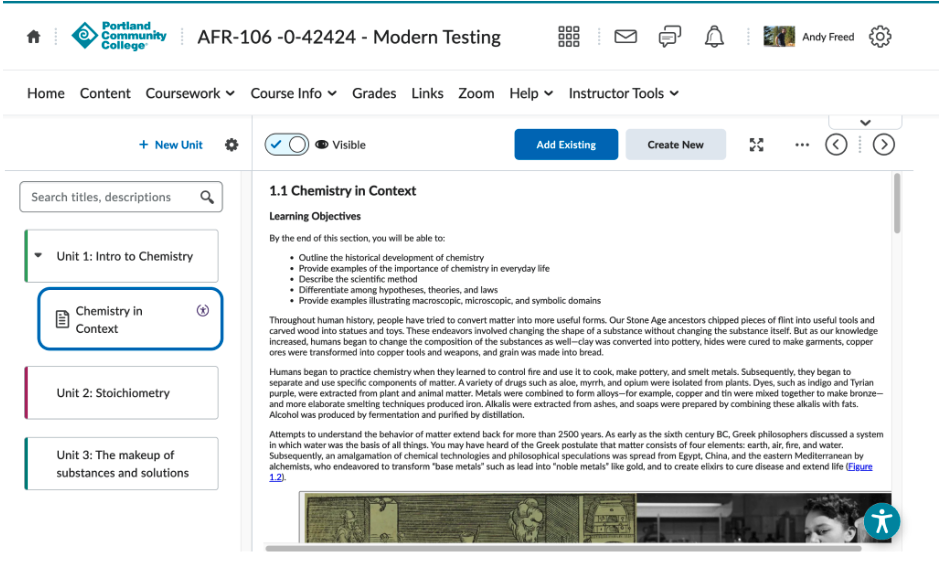
We are planning on a slow rollout of D2L’s “New Content Experience” (NCE), which is the replacement for the current content tool. We will be recruiting a few faculty members to pilot and provide feedback during Winter term, then enable faculty to opt-in for Spring, and ultimately move everyone to the New Content Experience for Summer 2027. The New Content Experience (NCE) streamlines student interaction with courses by replacing cluttered, module layout with a clean, mobile-responsive interface that keeps students focused on course materials and activities.
NCE should offer an improve mobile experience, improved progress tracking, enhanced accessibility, and should reduce cognitive load while navigating your courses. During fall term, we’ll have a few sample courses that faculty and students can explore and provide feedback before we start piloting with volunteers in Winter 2027. We plan to allow faculty to opt-in during Spring, with a full adoption for Summer 2027. Much more information to follow.
H5P
Interface improvements
H5P’s interface has been improved to make it easier to create and edit activities within Brightspace. The larger interface is a welcome improvement according to early adopters on the team.
Smart Import Updates
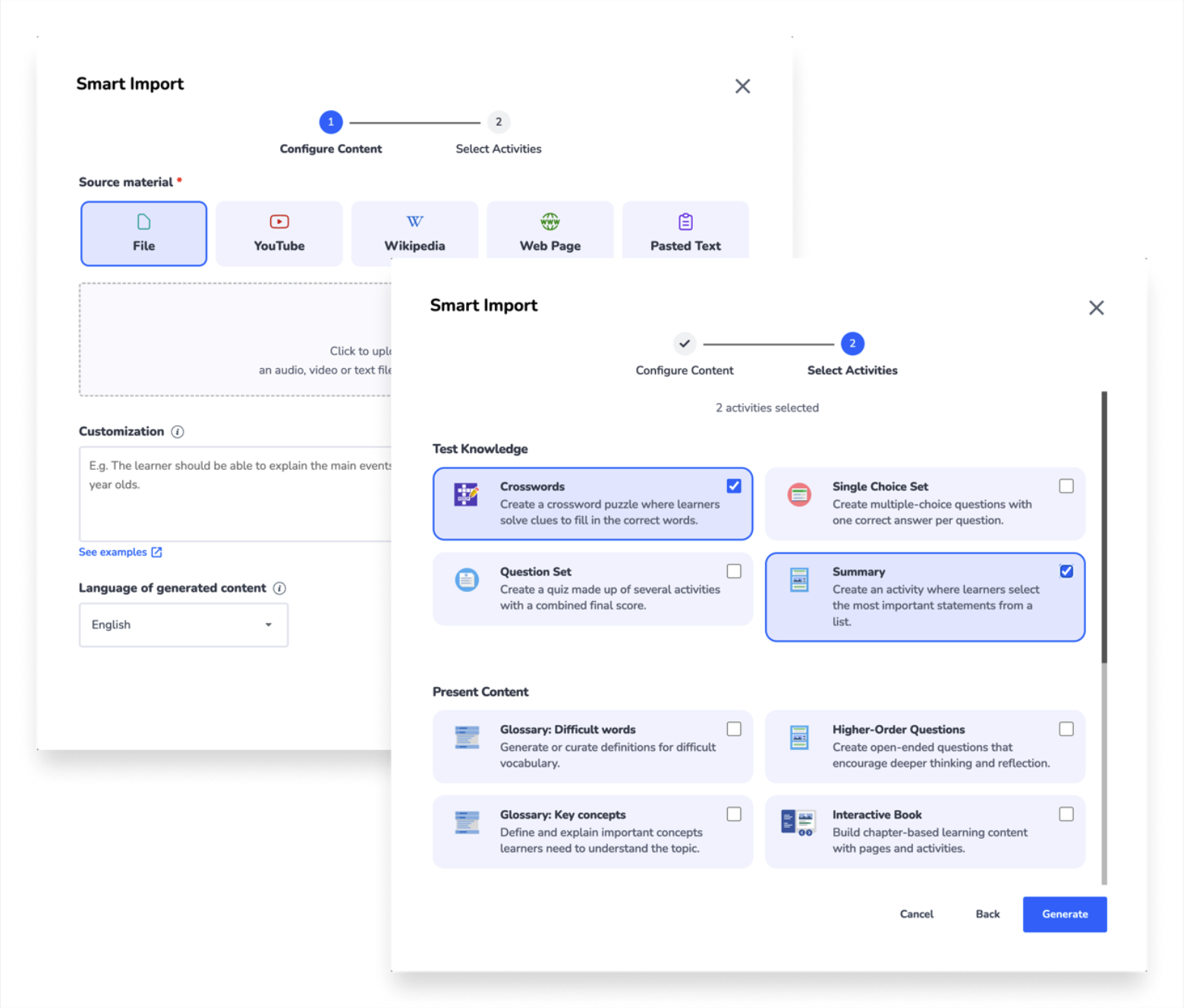
The new Smart Import brings together a simpler experience and smarter content generation to help you turn source material into engaging H5P activities faster. With the redesign, creating content now takes just two simple steps: add your source and choose the H5P activities you want to generate. The streamlined workflow makes Smart Import easier to navigate, while the upgraded brain behind it, introduced in July, delivers better-structured content, stronger results, and more reliable generation.
H5P OER Hub
You can now search from a large library of H5P activities and share your own with the world via OER Hub. This new feature lives within the H5P interface and makes it much easier for you to share your activities with coworkers and the rest of the world alike. I’m really excited about this feature. Shoot me an email to let me know what you think.
Annoto
We are working with Annoto support to troubleshoot a behavior in which Kaltura media with Annoto Quizzes enabled do not create or link to a grade item in D2L Brightspace. Annoto support has provided steps forward, and tests are currently being done on our D2L Test server before making changes to our Production server.
Hypothes.is
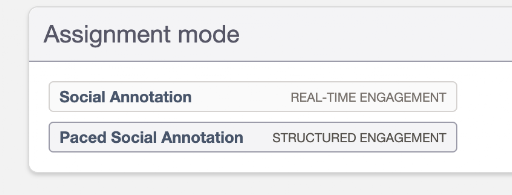
The Social Annotation tool has added a new Paced Social Annotation feature. If used, students first annotate independently. Their annotations remain hidden from classmates until the instructor reveals them, allowing students to form their own responses before seeing what others have written.
Kaltura
- Extended Audio Descriptions (EADs) can now be added by end users. Once processed, end users can also use the caption & enrich editor within My Media to update the EADs.
Voicethread
Voicethread now allows you to create and attach a rubric to your assignment for scoring student responses.
Zoom
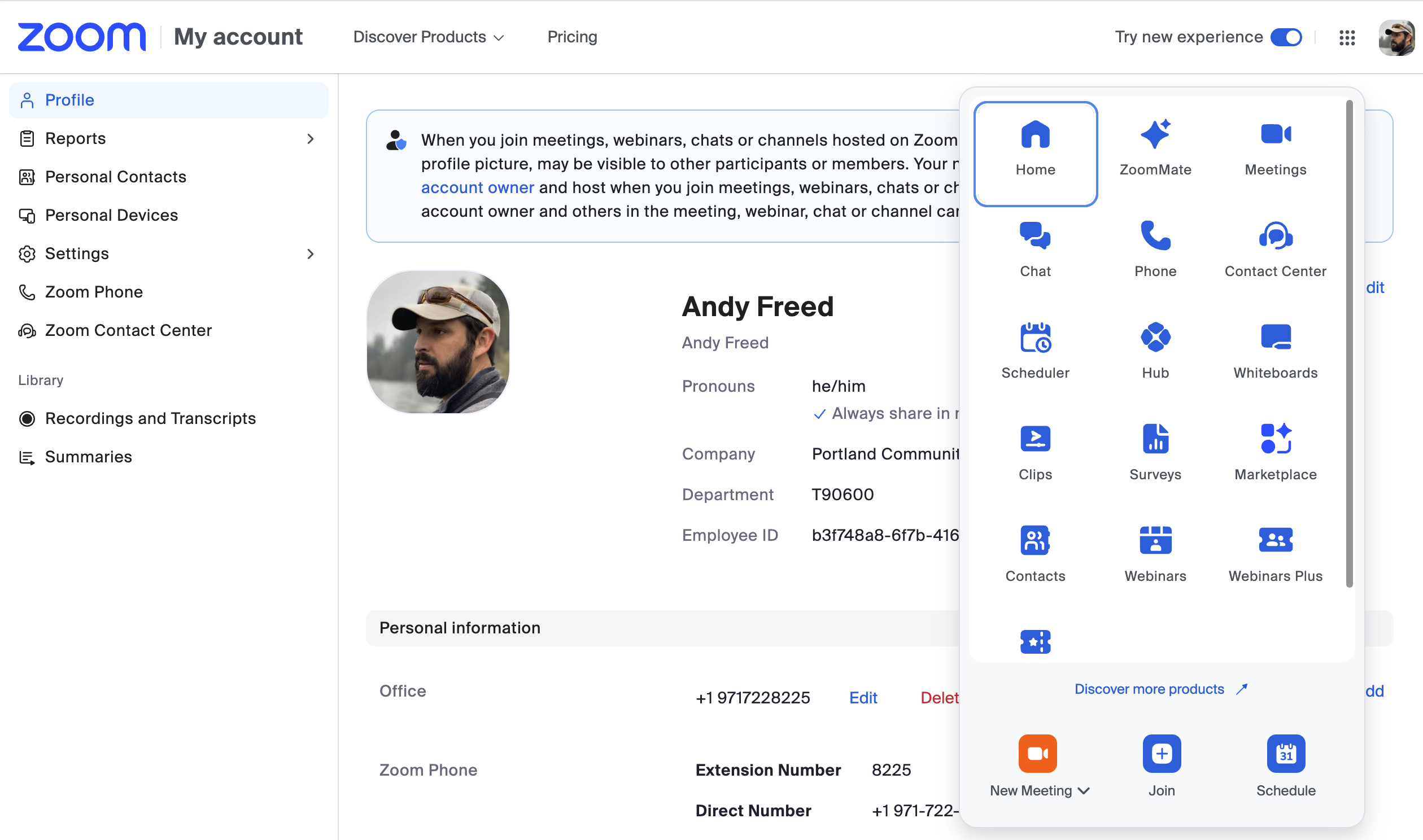
New “Simplified” Web Interface
Zoom has released a new web portal interface (portlandcc.zoom.us) that more closely mirrors the client application. We have enabled “opt-in” for users over the summer. All users will be required to use the new interface by September 30, 2026. Note: the original published date for the transition was August 28th, but Zoom delayed it.
Zoom AI Companion
By September, we’ll be making Zoom AI Companion available for faculty and staff to enable on their accounts. It will be off by default, but you will be able to enable AI Companion in meetings to take notes and provide a summary of your Zoom meeting. If you would like to try this before September, email dlhelp@pcc.edu for access.
Google Gemini Notebook
Google has renamed NotebookLM to Gemini Notebook. If you are curious about generative AI tools and don’t know where to start, Gemini Notebook is a great starting place. It is available for free with you PCC Google account, and it allows you to explore what the tool is capable of with a small set of source materials that you provide. The ITS team has put together some documentation on using Gemini Notebook and will be offering a training workshop on September 29th at 11am.
About Andy Freed

I'm the Director of Learning Technology & Innovation (LTI!), where I oversee our infrastructure, technical support, and the innovation hub. I've been with the College since 2001 and have worked in several positions, from technical suppo... more »