
Bulk Edit Grade Items
This function enables you to quickly update existing grade items. You can change the Name, Short Name, # of points, whether the assignment has bonus points, whether the point value given can exceed the maximum (extra credit), and change the category.
- Click on Grades
- Click on Manage Grades
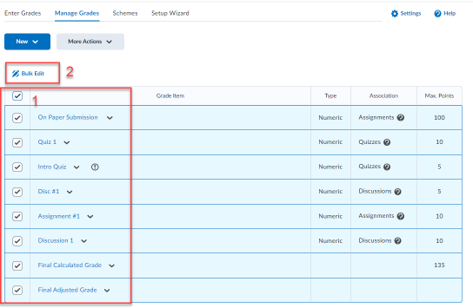
- Check the boxes next to the items you would like to bulk edit, or check the box next to the bulk edit link at the top of the table to select all grade items.
- Click “Bulk Edit”
- Make your changes and then click Save.
Updated 12/4/2025