
Step 3: Review and accept award
 Once you have completed Step 2: Submit documents, the next step is to accept your award. While you are waiting for your award to process, you can learn how award amounts are determined.
How to accept your award
Depending on the award type, your steps are a little different:
FAFSA students
-
Watch your dashboard
You’ll get a PCC email when your award is ready. To see your award, go to your Financial Aid Dashboard on the MyPCC Paying for College tab and click Accept or decline your award.
-
Authorize charges
On the Home tab, view questions and select Yes for Authorization to Deduct Charges if you want to use financial aid at the bookstore.
-
Review and submit
Go to the Offer tab to review award amounts and click the submit button. The amounts are calculated based on full time enrollment (12 credits per term). Accept funds in the following order:
- Grants. Limited gift aid that doesn’t have to be repaid. The college accepts grants for you.
- Work Study. Work study is money earned through part-time work. Saying yes to work study is a better alternative than incurring loan debt.
- Loans. Accept loans after grants and work study. Accept subsidized loans first, then unsubsidized. Loans are limited and must be repaid, so take only what you need for your education.
-
Accept terms and conditions
After clicking the submit button, acknowledge the terms and conditions checkbox and click Accept Award.
Need more help? See the step-by-step guide to accepting your award.
ORSAA students
-
Review terms and conditions
Review the Terms and Conditions of financial aid.
-
View your award
Go to the MyPCC Paying for College tab. Under Financial aid links, click Award History.
Taking out a student loan?
If you’re taking out a loan, you may need to take additional steps: see financial aid loans.
When will your award be ready to review?
If you met the dates for submitting the application and documents, your award will be sent by the dates below.
| Term you plan to start | Application submitted by | Documents submitted by | Award ready by |
|---|---|---|---|
| Winter 2026 | Oct 15, 2025 | Nov 15, 2025 | Dec 15, 2025 |
| Spring 2026 | Jan 1, 2026 | Feb 1, 2026 | Mar 1, 2026 |
| Term you plan to start | Application submitted by | Documents submitted by | Award ready by |
|---|---|---|---|
| Summer 2026 | Feb 15, 2026 | Apr 15, 2026 | Mid-June, 2026 |
| Fall 2026 | Apr 15, 2026 | Jul 1, 2026 | Sep 1, 2026 |
| Winter 2027 | Oct 15, 2026 | Nov 16, 2026 | Dec 15, 2026 |
| Spring 2027 | Jan 1, 2027 | Feb 1, 2027 | Mar 1, 2027 |
ORSAA students do not qualify for summer financial aid and can expect to receive their award before payment is due for fall term.
Awards for fall, winter, and spring are often sent out earlier than the dates above – check your email daily!
View or print your award
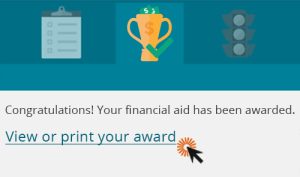
Print your award from your dashboard
To view or print your award letter, use the link on the award tab of your Financial Aid Dashboard.
After you accept
After you complete all the steps above, you are ready to go to Step 4: Receive your funds!