Apply for Admissions to PCC

For NEW PCC DUAL CREDIT STUDENTS - There is a 2-step process for students who wish to receive PCC Dual Credit for their high school course work. New students must first apply to PCC before they are able to register for dual credit courses. Returning students, please select Register for PCC Dual Credit in the column to the right.

NEW STUDENTS:

Before you begin: you must have a personal email address to apply online.  If you do not have one, you can create a free email address by selecting a provider (Google, Hotmail, Yahoo) and filling out their online application form.

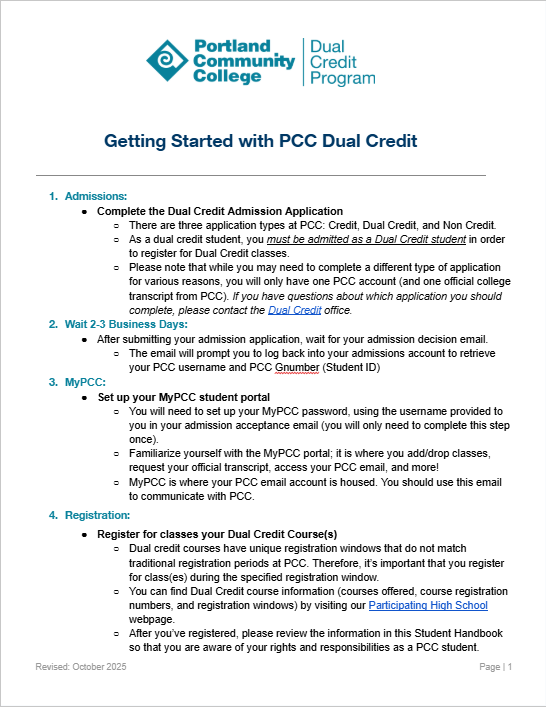
See a printable version of these instructions.

  1. Go to www.pcc.edu
  2. Click on Earn A Degree or Certificate, click on Admissions. This will take you to the Admissions Application page.
  3. Click on the link for Online Admissions form mid-page in the yellow highlighted section.
  4. Select an Application Type  - There are three choices in the pull down menu, select PCC Dual Credit. (If you select CREDIT as your application type you will automatically be given an Orientation Hold on your account and you will be blocked from registering for your dual credit class(es).)
  5. Apply for Admissions - Select the current term (fall, winter or spring), enter your first and last name with correct capitalization. Click on Fill Out Application.
  6. Name (1 of 9) - Enter your name information and double check you used correct spelling and capitalization. If you ever received PCC credit, you will want to select YES at the bottom of the page. Click Continue.
  7. First Address and Phone (2 of 9) - Enter your complete address (including your house number) and phone information. Click Continue. The address entered will be  checked against a current USPS database for accuracy. Be sure to enter accurate information and your city. Verify the address you entered is correct and click on Check the Address. Please Note: if you do not enter a valid address, you will not be able to register. Continue to the next screen (Personal Information).
  8. Personal Information (3 of 9) - Enter your email address, gender, birth date, and other information. Click Continue.
  9. Current Student Type (4 of 9) - Answer this as it applies to you. If you've earned PCC credit in previous years, type number 2 in the text box. Click Continue.
  10. Planned Course of Study (5 of 9) - In the pull down menu, select Dual Credit High School Program. Click Continue.
  11. High School (6 of 9) - Click on Lookup High School Code, select your state, your city, and your high school. Click on the button that says 'Copy selected High School information to Data Entry form'. Enter your anticipated Graduation Date as June 1, and the year you plan to graduate from high school. Click Continue.
  12. Attending Reason (7 of 9) - In the text box enter the number next to the main reason you are attending (or earning credit at) PCC. Click Continue.
  13. Transfer Status (8 of 9) - In the text box enter the number that best applies to you. Click Continue.
  14. Application Confirmation (9 of 9) - By clicking YES, you will proceed to the final application a submission page. By clicking NO, you choose not to be eligible to receive PCC Dual Credit. Click Contine.
  15. Application Checklist - You should see a red checkmark next to each section of the application. If you do, click ONCE on the Submit Application button and wait for the next page to load. This may take a minute or two.
  16. Disclosure Agreement - Select the check box that you agree to 'As a Dual Credit student submitting this application, I understand that my academic records maybe shared with the high school that I attend for reporting and tracking purposes.
  17. Signature Page - Read this page...You will receive a Congratulations Letter via your personal email in the next 2-5 business days that will contain your PCC ID# and MyPCC Username. If you do not receive a letter please contact the PCC Dual Credit office at 971-722-7737.