Online Registration Error Messages
Registration Helpline: 503-977-8888
There are two categories of error messages:
- Registration Add Errors - These are errors on courses you are trying to register for or add to your schedule. Common examples are a time conflict, a prerequisite error or a closed class.
- Registration Update Errors - These are errors on courses in your current schedule that you are trying to change (typically drop or withdraw). Common errors are when you try to drop only a lab in a class that requires attendance in a lecture and a lab or try to drop only part of classes that are corequisites.
Registration Add Errors
Error messages when no seats are available in the class
- Closed section
- Class has no available seats left, and there is no waiting list available.
- Closed section-x Class is closed
- The 'x' indicates that the class is sharing a room with another class and the maximum limit for both classes has been reached.
- Closed-00X waitlisted
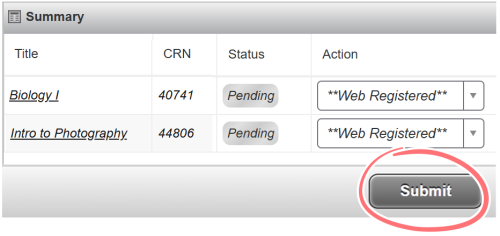
- Class has reached the maximum limit of enrolled students. There is space available on the wait list; you may place yourself on this wait list using the drop down menu. Make sure to click Submit.
- Closed wait list filled
- Class has reached the maximum limit of enrolled students. The wait list has also reached it’s maximum.
- Open wait list filled
- This class had reached the maximum limit of enrolled students and a wait list was started. Students have dropped from the class showing “open” spaces available however the wait list is full. Only the instructor can add students to the roster off of the wait list and into the class.
Error messages when CRN is invalid or not available for web registration
- CRN does not exist
- Either the class has been cancelled or you have entered an incorrect CRN.
- Invalid subject/course/section and CRN combination
- Either the class has been cancelled or you have entered an incorrect CRN.
- Section not available for web add/drop
- The department is not allowing registration for this class on the web. Contact the department for specific information.
- Course is not available for registration at this time
- You may not register for this class. Typically, this means the class has been cancelled.
Errors resulting when you do not meet criteria to register
- CORQ_YYY YYY REQ
- This class requires that you register in a co-requisite class at the same time. Enter the CRNs for both courses at the same time. 'YYY YYY' is the subject and course number of the co-requisite. Contact the department for the specific information.
- Link error
- Some classes require registration in lecture, lab and/or recitation to complete the registration. These courses are “linked” and you must register for all elements of the link at the same time.
- PREQ PRE-REQ ERROR
- There are prerequisites that must be met in order to enroll in this class. These are usually completion of, or enrollment in other courses or specific PCC placement test scores. Course prerequisites are listed at the end of the course descriptions in the schedule of classes. If you believe that you meet the prerequisite and you are not being allowed to enroll, contact an advisor. If you do not meet the prerequisites but wish to be considered, contact the department offering the class.
- Time conflict with XXXXX
- You have selected a class which overlaps with a class you are already registered in. 'XXXXX' is the CRN of the class with the conflict.
- Maximum hours exceeded
- You must have special permission to register for more than 19 credits per term. Contact advising if you wish to obtain an exception to this limit.
- Dupl CRSE with SEC-XXXXX
- You have selected two or more classes with the same subject and course number. This is not allowed; you must select one. 'XXXXX' is the CRN of the duplicate class. Note: You are allowed to register for duplicate sections for Community Education (subject CED).
Errors resulting from not meeting required approval for the class
- Adds>1st Day Not Allowed
- After the start of a class, you must have permission to take this class. Contact the instructor.
- Dept Approval Required
- You must have permission from the department to take this class. Contact the department.
- Instr Approval Required
- You must have instructor permission to take this class. Contact the instructor.
- Restricted Program
- This class is limited to a specific program. You may not register.
- Major Restriction
- Only students in certain majors may take this class. Your major does not qualify for this class. Contact Admissions if you wish to change your major.
- Level Restriction
- Class is restricted to certain student levels. PCC student levels are 'Degree Seeking Student', 'Non Degree Seeking Student', and 'Non Credit Student'. In most cases, all credit classes exclude 'Non Credit Student' enrollment. Contact admissions if you wish to be admitted to a different student level.
Registration Update Errors
- Linked courses must also be dropped
- (list of linked s for class) You did not request to drop all parts of a linked course. To drop this class, request a drop of all s listed at the end of the message.
- Co requisite courses must also be dropped
- (list of coreq CRNs for class) You did not request to drop all co-requisites for the CRN. To drop this class and related co-requisites, request a drop of all CRNs listed at the end of the message. Contact Registration Helpline if you would like to request to drop only one of the CRNs.